Puzzle
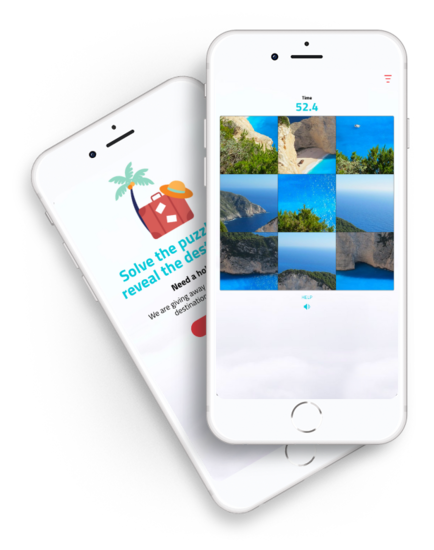
Transform an image of your brand, product, or campaign into a custom online puzzle that entertains your audience and keeps them engaged. Players must arrange the pieces before time runs out to complete the challenge, earn points, and compete for prizes. Configure the difficulty, limit the time and number of moves, and publish a leaderboard to motivate your community to play. Enable participant registration to collect valuable data and customize the entire experience to match your brand identity.
Table of contents


Puzzle Main Features
-
Automatic Puzzle Creation
Upload an image with the required dimensions and the platform will automatically divide it into the pieces needed to create the puzzle. Choose between three difficulty levels: easy (9 pieces), medium (16 pieces), or hard (25 pieces). -
Challenge Configuration
Adjust the difficulty level, limit the time available to complete the puzzle, and define the maximum number of moves. This allows you to adapt the challenge to your campaign objectives, whether you want a quick and simple experience or a more demanding game that encourages repeat participation and competition. -
Enable Player Assistance
Allow participants to view the completed image for a few seconds if they need guidance. You can also enable multiple attempts so participants can improve their score on the leaderboard and return to play again for a chance to win prizes. -
100% customizable design
Adapt the puzzle to your campaign’s visual identity with custom colors, fonts, text, images, and screens. From the editor, you can preview all changes in real time before publishing the game. -
Participant Registration
Enable participant registration before or after the game to collect participant data. You can also integrate access with your own user system through SSO if the campaign is part of a private environment, community, or loyalty program. Learn more -
Scoring, Leaderboard, and Prizes
Participants earn points based on their performance and the time taken to complete the puzzle. You can publish a leaderboard, reward participants with the highest scores, or run a prize drawing among all registered participants or those who reach a minimum score. -
Publish as a Microsite or Embed on Your Website
Publish the game as a microsite with its own URL or embed it on your website using a widget. Participants can access it directly from their browser, without downloading any app, and play from a mobile device, tablet, or computer. -
Sound and Visual Effects
Add sound and visual effects to accompany participants’ actions throughout the puzzle and reinforce the feeling of an interactive game. You can also customize the final experience depending on whether the participant completes the challenge or not.
Sign up and create your online Puzzle
From the administration panel, you can create and configure your Puzzle, explore all available options, and preview exactly how it will look when published.
Puzzle Pricing
-
 Premium Plan$199USD/month
- Limited to 10,000 participants per promotion
- Easypromos branding visible
- Fully customizable microsite design
- Fully customizable registration form
- Automated email platform
- Third-party integrations
- Access to advanced statistics
-
 White Label Plan$399USD/month
- Limited to 50,000 participants per promotion. Contact us for more than 50,000
- No visible Easypromos branding
- No reference to Easypromos when sharing
- Multiple languages within a single promotion
- Use your own domain with HTTPS support
- Developers: Use your own CSS styles, HTML, and JavaScript code
- Developers: Access to the API and webhooks for real-time export of entries
- Recommended for large brands and agencies
- Priority support
Combine it with
-
Entry Form GiveawayIf you don't want to reward participants based on their score, you can run a prize drawing among all participants or only among those who achieve a minimum score.
-
Promo CodesCreate one or more coupon codes as prizes for participants who register. You can distribute them after the game is completed, based on the score achieved, or as prizes in a final prize drawing among all participants.
-
Instant WinUse the Instant Win mechanic to distribute prizes randomly when participants complete their participation.
Full Features
- Responsive, mobile-first design
- Intuitive, easy-to-use control panel
- Unique promotion URL to share on any channel
- Embed in any website with Widgets
- Team and Agents system in a promotion More info
- Full design customization
- Fully customizable registration formMore info
- Multiple user identification systems More info
- Export participant data and advanced statistics
- Player leaderboard with scoring
- Automated email workflows More info
- Social sharing and follow tools